The 7 Best Sales Planning Tools in 2026: An Honest Comparison for B2B Sales Teams
.jpg)
Your Sales Plan Is Only As Good As How Often You Look At It
Here's a quick test.
Right now - without opening a file, without asking anyone, do you know where your team stands against this week's target?
If the answer comes to you in under 60 seconds: your system is working.
If the answer is "let me check the spreadsheet" or "let me ping the team" — you're dealing with a problem that most Sales Directors quietly live with but rarely talk about: your sales plan and your actual results are living in two completely separate places.
Targets sit in a spreadsheet. Actuals sit in the CRM. And every week, someone on your team manually bridges the gap between the two — copying numbers from one system, pasting them into another, hoping nothing gets lost along the way.
The cost isn't just the time spent. It's the deals that slip through while no one's looking. The underperforming rep that nobody coaches until week 11 of the quarter. The target that gets quietly revised in a file somewhere, and three months later nobody remembers what the original number was.
This article is a practical comparison of the 7 best sales planning tools available in 2026 written for Sales Directors, RevOps Managers, and B2B CEOs who are done reading feature lists and want to know which tool actually solves the right problem for their team size.
Sales Planning Tools vs. CRM: What's the Difference?
This is the most common point of confusion and it's worth clarifying before going further.
A CRM tells you what's happening right now: which deals are in progress, which customers need a follow-up, what was discussed in the last call. It's a system built around the present.
A sales planning tool tells you what needs to happen: what each person's target is, whether the team is on track to hit it, and if there's a gap, where it's going to come from. It's a system built around the future.
Both need to exist. And ideally, they need to talk to each other so when a deal closes in the CRM, the actual revenue number in your planning view updates automatically, without anyone doing anything manually.
The problem is that most companies run these as two completely separate systems, with a human doing the connecting work every week. That's where most of the pain lives — and that's exactly what a good sales planning tool should eliminate.
The 7 Best Sales Planning Tools in 2026
#1. OplaCRM - Universal Sales Planning
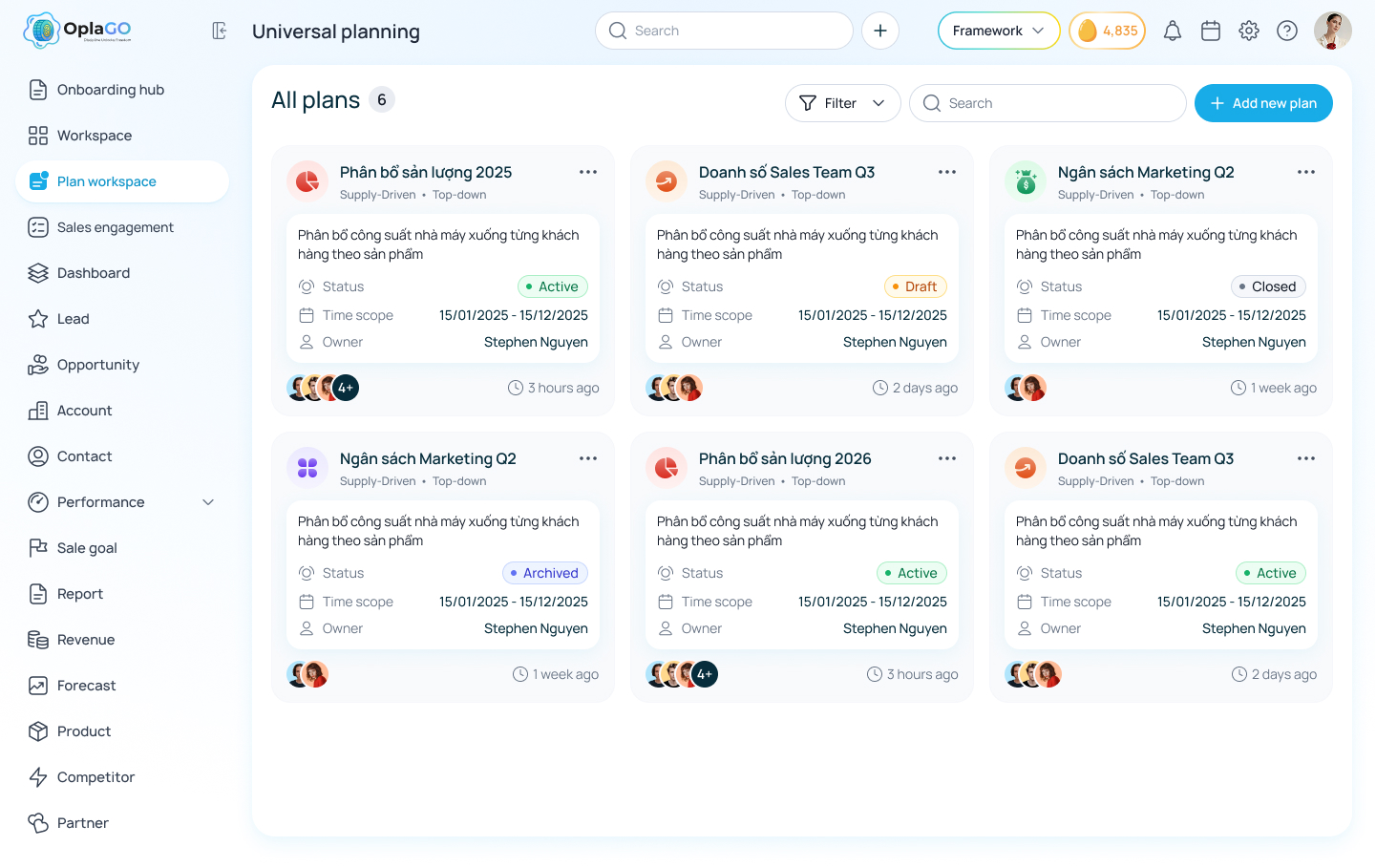
Best for: B2B teams of 10–500 people who need a sales plan that stays connected to real results
OplaCRM earns the top spot not because of marketing but because it's the only tool in this list that was built from the ground up around the actual problems sales teams face every day, rather than being scaled down from an enterprise platform or stretched beyond what it was designed to do.
Where it started: three complaints heard over and over
When the team behind OplaCRM spent time with Sales Directors and B2B CEOs across Southeast Asia, the same frustrations came up in almost every conversation:
"I don't really know how my team is performing until the end of the month." "Our targets are in one place and our actual numbers are in another and someone has to manually sync them every week." "Someone changed this number and nobody knows who did it or why."
Universal Sales Planning was built specifically to solve those three problems. Not to be a feature-rich platform that solves everything for everyone but to solve those three things reliably and without making the team learn a complicated new system.
How it works in plain business terms:
Your plan and your results live in the same place.Instead of targets in a spreadsheet and actuals buried in the CRM, OplaCRM puts both on the same screen. When a deal closes in the CRM, the actual revenue figure updates in the planning view automatically no one needs to do anything. The "Actual" column always reflects what's real right now, not what was true last Tuesday.
It works the way your team actually plans.Some companies set targets from the top leadership decides the total number and breaks it down by person. Others prefer a bottom-up approach each rep sets their own number, which rolls up for management review. OplaCRM supports both approaches, and both can run simultaneously across different teams within the same company.
You see who's falling behind before it's too late to do anything about it.
OplaCRM automatically calculates each rep's completion rate week by week. Someone sitting at 45% of their quarterly target in week eight gets flagged not in week twelve when the quarter's already decided.
Every change leaves a trail.Every edit to the plan is logged automatically who changed it, at what time, from what number to what number. If the change is more than 10%, the system requires a written reason before it saves. No more "I don't know who changed that" or "the number just looks different from last week."
Plans go through a real approval process.Instead of email chains with no clear end point, OplaCRM has a structured workflow: Draft → Target Setting → Pending Approval → Active → Closed. At each stage, who can do what is controlled a manager can't accidentally edit targets while they're under review, and reps only see the data within their own scope.
One thing worth knowing before you start: OplaCRM works best when there's already deal data flowing through a CRM. If your team isn't yet using a CRM, that's the right place to start and OplaCRM provides both CRM and planning on the same platform, so you're not adding another tool to the stack.
#2. Microsoft Excel / Google Sheets
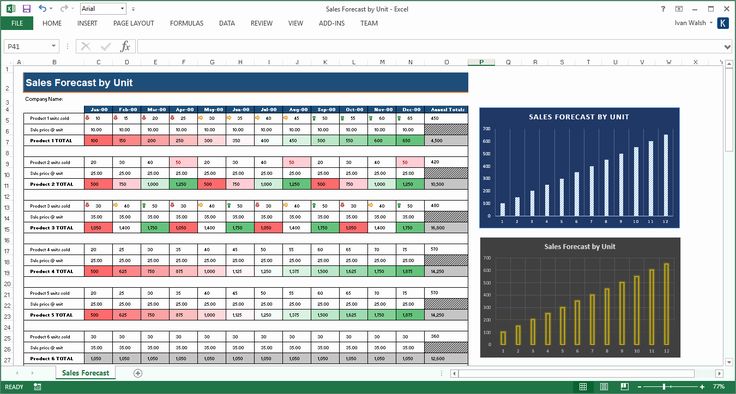
Best for: Teams of 1–5 people, just starting out, zero budget for tools
No honest comparison of sales planning tools can skip Excel because the reality is, it's still the most widely used planning tool for small and mid-sized businesses in 2026.
Why Excel keeps surviving: Not because it's better than purpose-built tools but because everyone already knows how to use it. No learning curve. No onboarding cost. Open it and you're working immediately.
When the problems start: Excel begins to show its limits when teams grow past five to seven people. The question "which file is the latest version?" starts appearing in meetings. Actual numbers from the CRM still require someone to manually copy them over every week. And when someone updates a key figure, there's no record of who changed it, when, or why.
The clearest sign that Excel has outgrown its role: when there's a file in your shared drive called Sales_Plan_Q1_v7_final_FINAL.xlsx and nobody's entirely sure if that's the right one.
#3. HubSpot Sales Hub

Best for: Teams already using HubSpot CRM who need solid pipeline tracking and basic forecasting
HubSpot has grown from a marketing platform into a full suite covering CRM, sales management, and marketing tools. Sales Hub offers a reasonably strong set of forecasting and deal management features particularly useful for teams already invested in the HubSpot ecosystem.
Where it works well: Because Sales Hub and HubSpot CRM share the same foundation, deal data and customer activity flow directly into the forecasting dashboard without any configuration needed. Reps can submit their own forecasts, managers can review and adjust, and leadership gets a consolidated view. For teams of 10–50 people, this workflow is clean and reliable.
HubSpot also has strong documentation and regional support across Southeast Asia - a meaningful advantage when compared to tools that only offer English-language resources.
Where it falls short: HubSpot Sales Hub is strong at deal tracking and basic forecasting, but starts to feel limiting when you need more structured planning — for example, assigning targets across multiple dimensions simultaneously (by territory, by product line, by month all at once), or viewing plan performance from different angles on a single screen.
Put simply: if your need is "I want to see where my pipeline stands and forecast next month" - HubSpot is sufficient. If your need is "I want a real planning system where targets, actuals, and gaps are all in one place with full accountability" - you'll likely find HubSpot doesn't go far enough.
#4. Pipedrive

Best for: Small teams who need visual deal management, limited budget
Pipedrive was built around the idea that sales success comes from consistent daily actions, every call logged, every email sent, every meeting scheduled. That focus on activity is its clearest differentiator and the reason many small teams reach for it when building their first sales process.
Where it works well:Looking at Pipedrive's pipeline feels like looking at a Kanban board drag deals from column to column as they progress. It's visual, intuitive, and a new team member can get up to speed in a few days. Pricing is significantly more accessible than Salesforce or HubSpot.
Where it falls short: Pipedrive is a deal management tool, not a sales planning tool. It tracks what's happening well, but it doesn't have the infrastructure to set structured targets per person, automatically compare targets against actuals, or view quarterly plan performance across multiple dimensions.
If you need real planning capability, you'll still need Excel alongside Pipedrive and the gap between those two tools is the original problem left unsolved.
#5. Salesforce Revenue Cloud
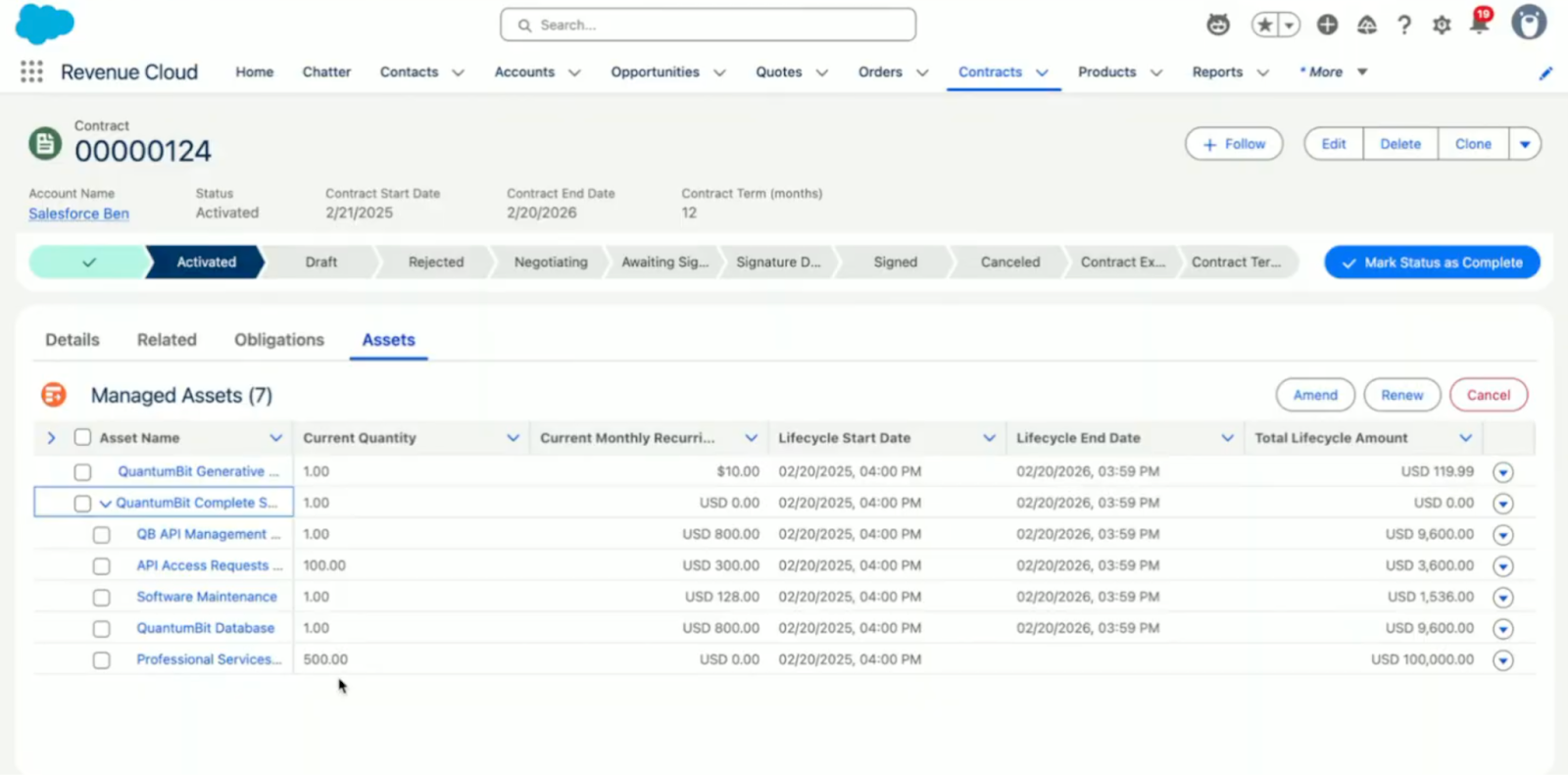
Best for: Large enterprises already on Salesforce CRM, budget of $150+/user/month
Salesforce is the default reference point for CRM at enterprise scale. Revenue Cloud is the module Salesforce built for more structured planning and forecasting - positioned as the natural next step for companies that have already built their operations on Salesforce.
Where it works well:If your organization has fully committed to Salesforce CRM and built a genuine culture around using it - Revenue Cloud benefits from that foundation. Deal data, customer records, and activity history flow directly into the planning layer without needing a third-party connector.
The breadth of the Salesforce ecosystem, certified implementation partners, the AppExchange marketplace, extensive documentation - is also a meaningful advantage for large organizations with dedicated IT and RevOps resources.
What to consider carefully:Salesforce solves the sales planning problem by separating it into two distinct products, the CRM and Revenue Cloud. In practice, this means users work across two different interfaces, data integration requires admin configuration, and licensing costs compound.
For a mid-market B2B company with a sales team of 10–50 people, the total cost of a full Salesforce deployment - licenses, customization, training, and ongoing support, typically runs from $150,000 to $500,000+ in the first year. That's a number that demands serious justification, particularly when more appropriately sized options exist.
#6. Anaplan

Best for: Large enterprises needing company-wide connected planning, budget from $50,000/year
Anaplan is the most technically capable planning tool in this list. It was purpose-built for organizations that need to plan across the entire business sales targets, headcount planning, financial consolidation, and operational forecasting with all of those plans connected and updating each other in real time.
Where it works well:For a large enterprise with multiple business units, complex product portfolios, and planning that needs to cascade from sales through to finance and operations -Anaplan is one of the only tools that can genuinely handle that level of complexity. Its flexibility in configuring custom planning models is unmatched by anything else in this comparison.
The honest reality and this is the critical point:
Anaplan was not built for mid-market companies. Average implementation time runs three to six months. It requires a dedicated, trained configuration specialist - a specialized role that commands a high salary. Licensing starts at approximately $50,000 per year.
For the vast majority of B2B companies with teams of 10–200 people, Anaplan is the right answer to the wrong question. Not because it isn't good - it's excellent at what it does. But it's a tool built for a scale and level of complexity that most mid-market teams don't yet need, and the cost of implementation and maintenance rarely makes sense until you're well into enterprise territory.
#7. Xactly / Spiff
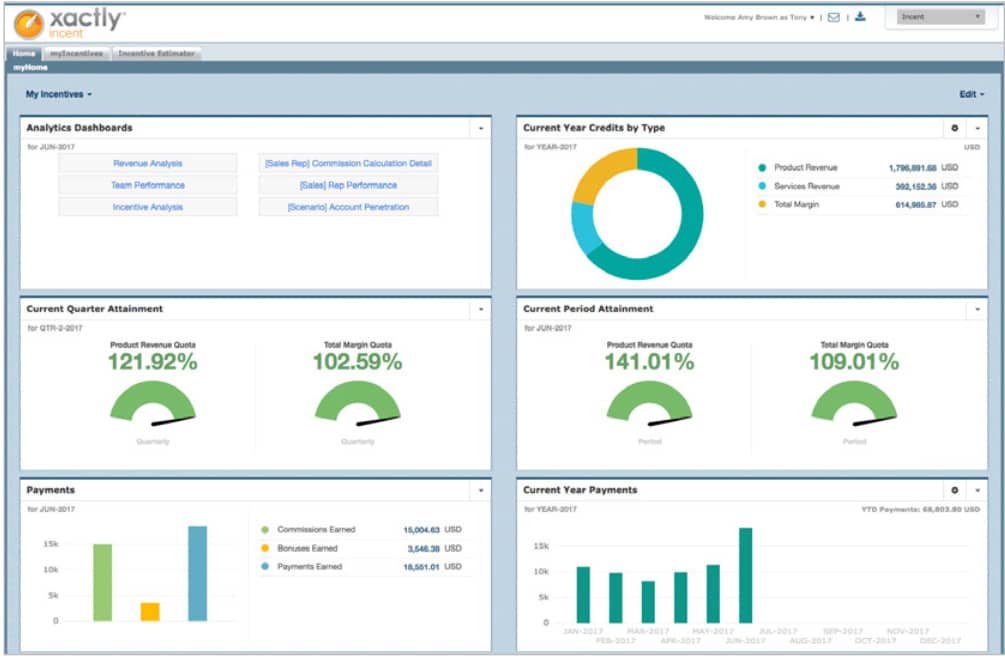
Best for: Large sales organizations managing complex, multi-tier commission structures
Xactly and Spiff are built for a very specific problem: automatically calculating sales commissions at scale. If you're managing commission payouts for 100+ sales reps across multiple territories, product lines, and commission tiers -these tools handle what spreadsheets genuinely cannot.
Where they work well:
Commission calculations run automatically according to configured policies, which reduces disputes between sales and finance and removes hours of manual calculation work each month. Reps can see their real-time commission earnings in a dashboard which turns out to be a significant motivator when it's visible.
What to keep in mind:
These are commission management tools, not sales planning tools in the broader sense. They handle the compensation side of sales performance, but they don't provide the infrastructure for target-setting, plan-to-actual tracking, or multi-dimensional planning across a team. If you need full planning capability, you'd still need a separate solution alongside either of these. Pricing is also at enterprise levels, and neither tool has significant localization for markets outside North America and Western Europe.
Which Tool Fits Your Situation
Rather than a single recommendation, here's a framework based on where your team actually is right now:
Team under 5 people, no formal process yet: Start with a CRM to build the habit of logging deals consistently. A planning tool delivers its full value once there's data to plan from getting that foundation in place first is the right move.
Team of 10–50 people, currently planning in Excel: This is where the switch delivers the most immediate return. Every hour someone spends reconciling data between the CRM and the spreadsheet is time not spent selling. OplaCRM or HubSpot Sales Hub are the two most practical options at this stage.
Team of 50–200 people, needing multi-dimensional planning: You need a tool with genuine planning infrastructure - not just deal tracking. The ability to view your plan by rep, by product, by region, and by month simultaneously becomes critical at this size. OplaCRM Universal Sales Planning was built for exactly this problem.
Team of 200+ people, already on Salesforce: Revenue Cloud is the natural path if you're not looking to introduce a new platform into your stack. The cost-benefit calculation depends heavily on how deeply you're already using Salesforce.
Enterprise of 500+ people with cross-functional planning needs: Anaplan or Workday Adaptive Planning are both worth serious evaluation. The complexity they handle is real as is the investment required to implement them well.
Three Questions to Answer Before You Decide
Before booking another demo or reading another comparison article, answer these three questions honestly:
1. Will the new tool eliminate the manual data transfer or just move where it happens?If someone still needs to copy numbers from the CRM into the planning tool every week, the core problem hasn't been solved. The goal is for actuals to appear automatically, without anyone having to do anything.
2. Can the whole team be up and running within one week?The best tool is the one that actually gets used. A three-month implementation timeline, however justified on paper, creates enough friction that adoption rarely reaches the level needed for real value. Time-to-first-use is as important as feature depth.
3. On Monday morning, can you check each rep's completion rate without asking anyone?This is the simplest test of whether a planning system is doing its job. If the answer is yes - the tool is working. If it still requires a round of messages to get a clear picture, the system needs to change.
The Bottom Line
A sales plan isn't a document you produce in January and revisit in December.
It's something that should be working every single week, telling you who's on track, who's falling behind, where the gap is, and what needs to happen in the next seven days to close it.
The right tool makes answering those questions a 60-second task on Monday morning, not a two-day process at the end of the month.
And the right tool isn't necessarily the one with the most features or the highest price tag. It's the one your team actually uses, where actuals update themselves from the CRM, and where you can spot problems early enough to do something about them.
For B2B teams in 2026 - particularly those in the 10-to-500-person range who need real planning capability without enterprise complexity or enterprise pricing - OplaCRM Universal Sales Planning was built to be exactly that.
Want to see how it works with your team's actual structure and target setup? [Book a free demo →] HERE

.jpg)
.png)
ISO CERTIFICATION


